3D Print From an iPad, Phone or Chromebook | Polar Cloud

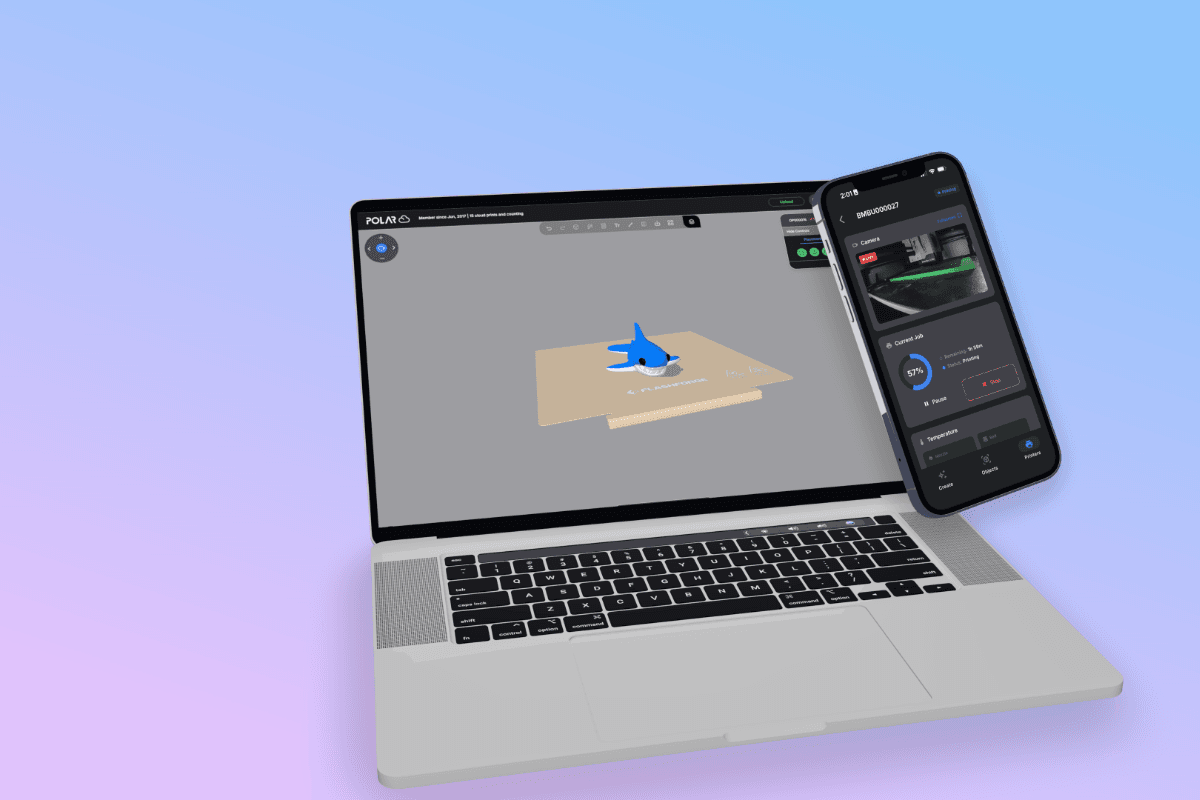
Can You 3D Print From an iPad, iPhone, Android Phone, or Chromebook?
3D printers have gotten dramatically better over the past few years. The computers we use to control them haven’t always kept up.
If you use a traditional desktop or laptop, you probably don’t think much about it. Download the manufacturer’s software, install it, slice your model and send it to the printer.
But what if you’re using a Chromebook? An iPad? Your phone?
That’s especially common in schools, makerspaces, shared workshops, and increasingly at home. These devices are great computers, but installing traditional desktop slicing and printer-management software can range from inconvenient to impossible.
That’s one of the problems we built the Polar Cloud to solve.
3D Printing From a Browser
Polar Cloud moves much of the 3D printing workflow into the browser.
Instead of requiring the computer in your hands to communicate directly with the printer, your printer can be connected to Polar Cloud and made available to the devices you actually want to use.
That means you can access your 3D printing workflow from a:
- Chromebook
- iPad
- iPhone
- Android phone or tablet
- Mac
- Windows PC
- Linux computer
On a desktop or laptop, that means less software to bounce between. On something like a Chromebook or iPad, it can open up workflows that would otherwise be difficult or unavailable.
And for phones and tablets, we also offer the Polar Cloud mobile app for iOS and Android, designed specifically around a touch interface.
Here's a Bambu A1 Mini Printing From Polar Cloud
The screenshots below show a Bambu Lab A1 Mini connected to Polar Cloud and actively printing.
And this is where things get more interesting than simply pressing Print.
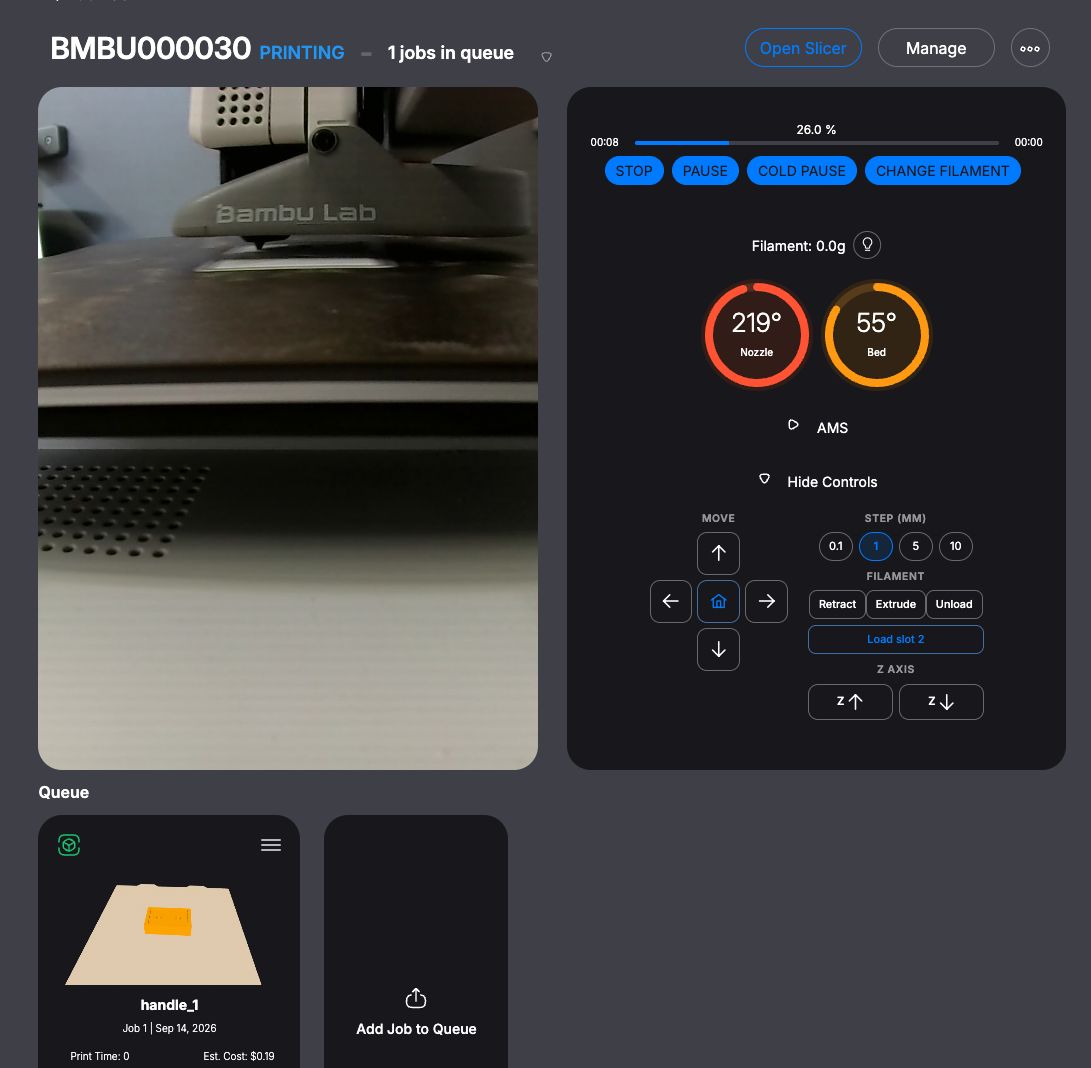
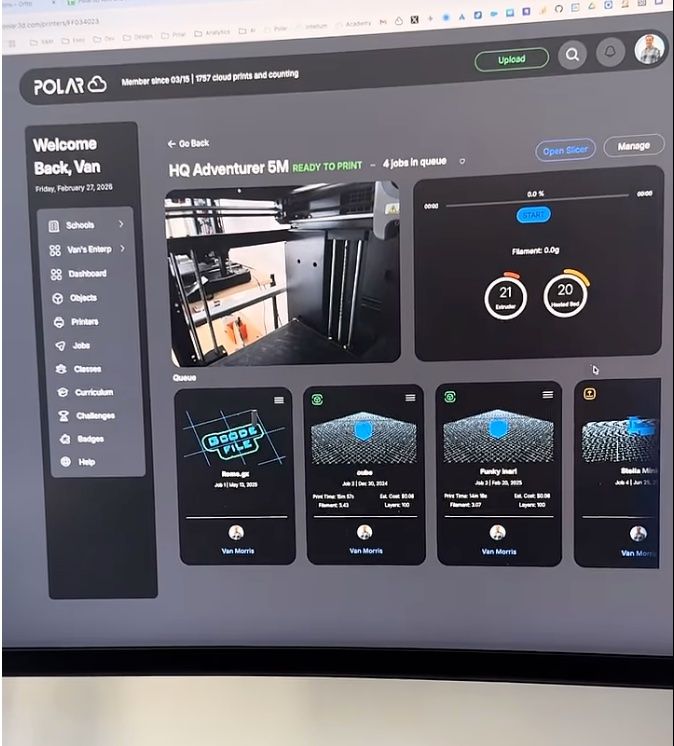
From the Polar Cloud interface, we can see the printer’s camera, current job, print progress, nozzle and bed temperatures, print queue and printer controls.
You can also interact with the printer directly.
Home the printer. Move the toolhead. Raise or lower the Z axis. Extrude or retract filament. Load or unload filament.
It’s a surprisingly complete printer interface, except the device you’re holding doesn’t have to be the computer physically connected to the printer.
Yes, You Can Select Your Bambu AMS Filament Too
If your Bambu printer has an AMS or AMS Lite attached, Polar Cloud can display the available filament slots.
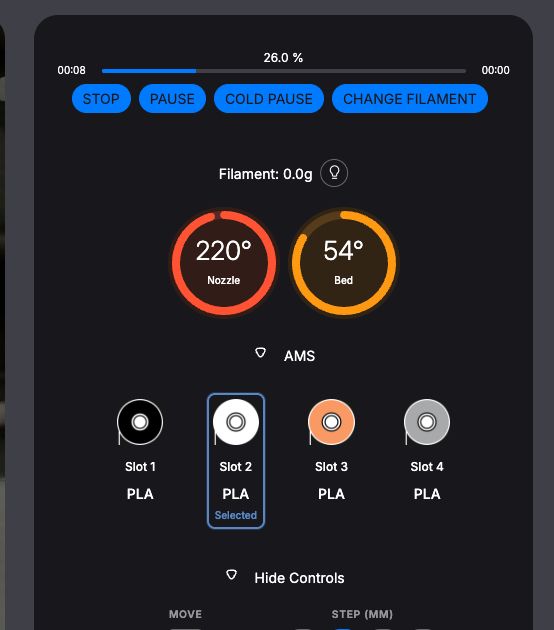
In this example, our A1 Mini has four spools available.
When sending a compatible print, you can choose which AMS slot and filament color you want the printer to use.
That sounds like a small detail until you start using it.
Maybe you’ve prepared a model on your Chromebook but want it printed in the orange PLA sitting in Slot 3. Or you’re on an iPad in a classroom and need to send the next student’s model using a particular spool. You don’t need to walk over to a dedicated slicing workstation just to manage the printer.
Your printer is still sitting where it always was. Your workflow isn’t.
How Does Polar Cloud Connect to a Bambu Printer?
For printers that don’t have Polar Cloud connectivity built in, we use connection software to bridge the gap between the printer on your local network and your Polar Cloud account.
The Polar3D Bridge is a free application for Mac, Windows and Linux that can connect supported Bambu Lab and Prusa printers to Polar Cloud over the local network.
The important distinction is that the Bridge doesn’t mean you have to do your printing from that computer.
Think of it as the connection between the local printer and the cloud.
Once the printer is connected, you can interact with your Polar Cloud account from the devices that make sense for you.
Your desktop can run the Bridge while you’re sending and managing prints from a Chromebook. Or an iPad. Or your phone.
That’s the point.
A Better 3D Printing Workflow for Chromebooks
We think this becomes particularly useful with Chromebooks.
Chromebooks are everywhere in education, but many traditional 3D printing workflows were designed around downloadable Windows or Mac software.
That’s an awkward combination.
With Polar Cloud, a student can work from a Chromebook without needing a powerful desktop workstation just to participate in the 3D printing process. Polar Cloud’s browser-based workflow can handle model storage, cloud slicing, print queues and printer management from devices that weren’t traditionally very good 3D-printing computers.
The same concept applies to an iPad.
A tablet suddenly becomes a perfectly reasonable place to find or upload a model, prepare a print, send it to a connected printer and later check on its progress.
And It’s Not Just for Mobile Devices
There’s an interesting side effect to building 3D printing around the browser: it’s also a really nice desktop workflow.
If you’re sitting at a Mac or Windows PC, you can still use the full Polar Cloud web application.
But instead of having your models in one application, slicing in another, printer controls somewhere else and perhaps different applications for different brands of printers, you can bring much of that workflow together in one place.
That’s particularly useful once you own more than one printer.
And especially once those printers aren’t all made by the same company.
Polar Cloud supports multiple printer ecosystems and connection methods, including Bambu Lab, Prusa, Flashforge, Dremel, Klipper, OctoPrint and others.
The goal isn’t to replace the printer.
It’s to make the device you’re holding matter a lot less.
Your 3D Printer Shouldn’t Care What Computer You’re Using
A Chromebook shouldn’t prevent a student from 3D printing.
An iPad shouldn’t require you to walk over to another computer just to send a model.
And checking a print from your phone shouldn’t feel like a workaround.
That’s the idea behind Polar Cloud: connect your printers once, then make them accessible through the web and the devices you already use.
For Bambu Lab owners, that now includes workflows like AMS filament selection, live camera monitoring, print queues, temperature monitoring and direct printer controls from the same interface.
If you’ve got a Bambu printer sitting nearby, give it a try.
🔗 Create a free Polar Cloud account
🔗 Download the Polar Cloud mobile app or Polar3D Bridge
Subscribe for updates
Get Polar Cloud news and help delivered straight to your inbox.
More from the blog