AI 3D Model Generator for 3D Printing
The first AI 3D generator built for printers, not video games. Start from a photo or just a text prompt, and turn it into a print-ready STL in seconds.


Image to 3D Model
Upload a PNG or JPG — a product shot, a sketch, or a photo you snapped with your phone. Our AI turns it into a clean, printable STL.
- Up to 4 reference angles (front, side, back)
- Optional background removal
- Best for real-world objects and references
Text to 3D Model
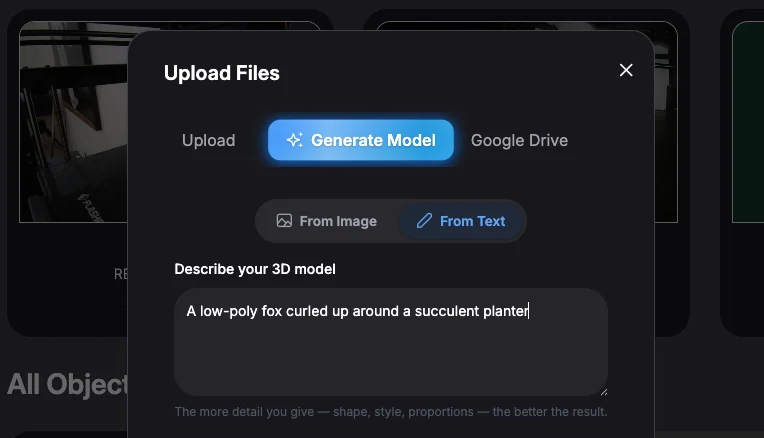
No image? No problem. Describe what you want in plain language — "a low-poly fox", "a gear with 12 teeth" — and the AI generates the model from scratch.
- Zero reference images required
- Great for brainstorming and concepts
- Same slicer-ready output as image mode
1. Snap or Describe
Upload a 2D image (PNG, JPG) or type a text prompt describing your object.
2. AI Generation
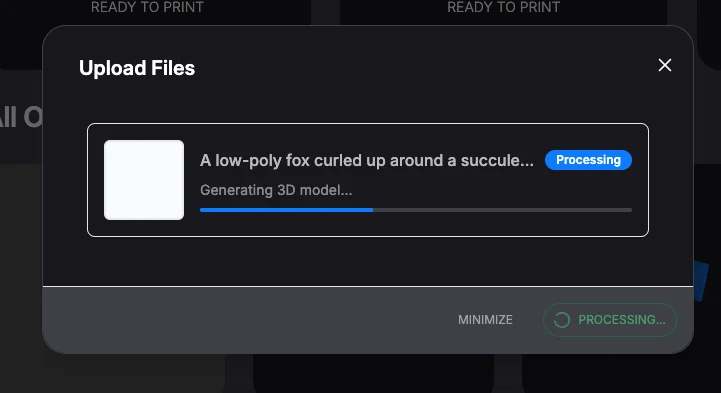
Our engine builds the geometry in under 10 seconds. 1 Credit = 1 Model.
3. Slice & Print
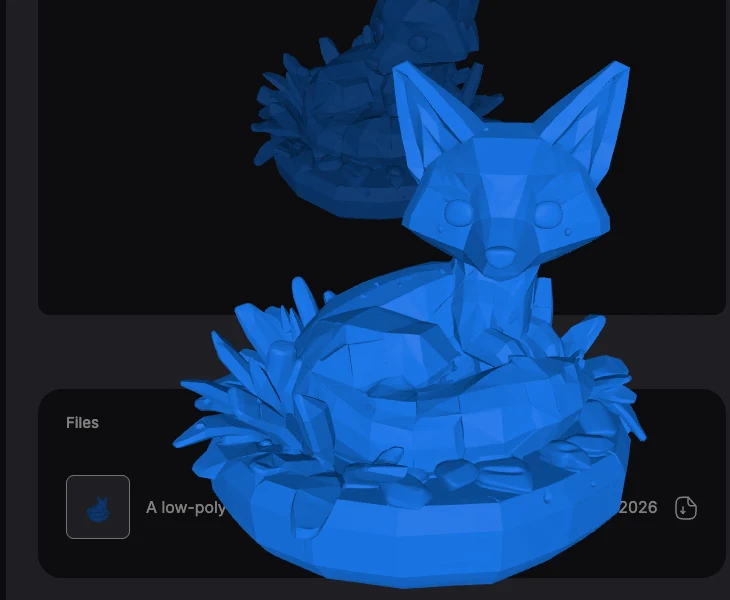
The file is auto-saved to your Repository. Click "Print" and Polar Print handles the settings and supports for you.
Here's What That Actually Looks Like.
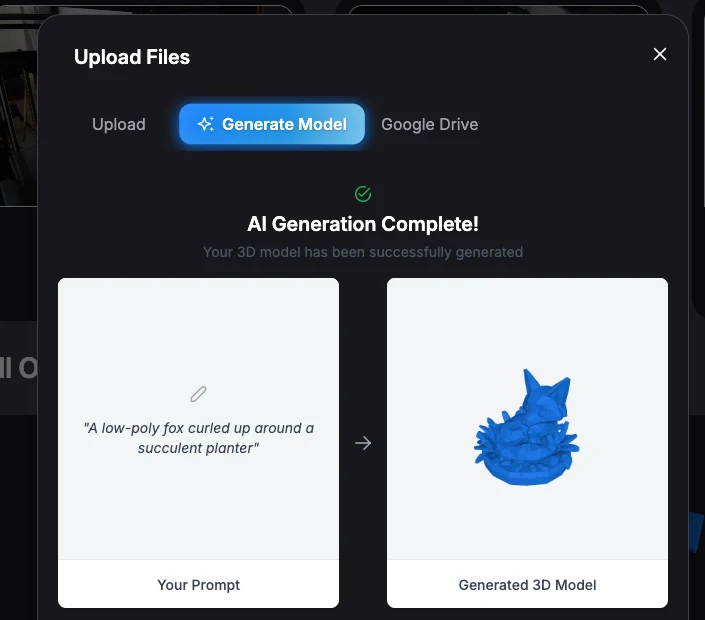
One real generation, start to finish. Nothing staged, nothing sped up.
Printable on the First Try.
Other AI generators make models to look at. We know you're going to print yours, so we make sure it actually prints. Here's the same object from another AI 3D model generator and from Polar AI, dropped into a slicer as-is.
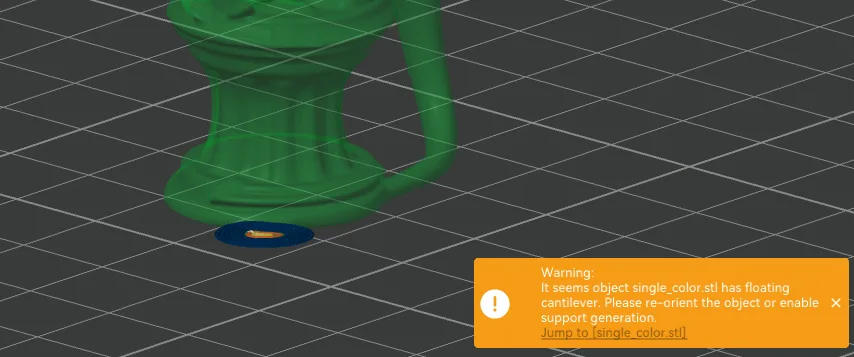
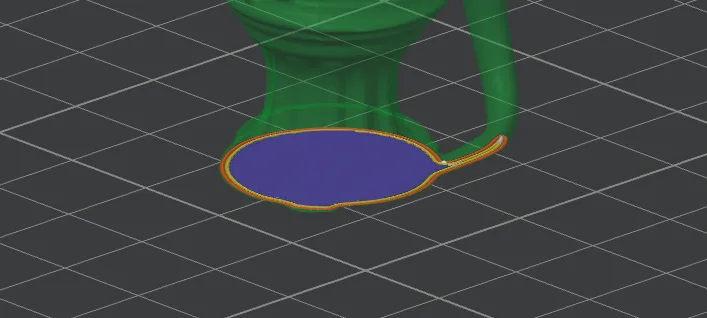
New to 3D printing? You shouldn't have to wonder whether your first print will work. Polar AI automatically heals the geometry and gives every model a flat base before it lands in your library.
Slicer-Ready Geometry
Most AI models create "messy" meshes with holes. Polar AI automatically heals geometry and ensures a flat bottom for perfect bed adhesion.
School Safe (NSFW Filter)
Built for the classroom. Our AI engine scans inputs and outputs to block inappropriate content, making it safe for K-12 students.
Integrated Workflow
Don't download files just to re-upload them. Generated models appear instantly in your Polar Cloud Object Repository, ready to slice.
Simple, Transparent Credit Packs.
1 Credit = 1 Generation. No subscription required.
Starter
Value
Bulk
* Schools can request purchase orders for bulk credit distribution. Contact Sales.
AI Transparency
Polar Cloud uses artificial intelligence to help users create and prepare 3D printable models. We believe organizations should understand when AI is being used, what information is shared, and how customer data is handled.
AI features are optional
AI functionality is only used when a user intentionally invokes an AI-powered feature, such as Text-to-3D or Image-to-3D generation. Printing, printer management, slicing, classroom management, and other core Polar Cloud functionality do not require AI.
Customer data is not used to train AI models
Polar3D does not use customer-uploaded models, engineering files, student projects, print history, or other customer content to train our own AI models.
When AI features are used, only the information necessary to complete the requested task is transmitted to the AI service responsible for generating the result.
Student privacy
Polar Cloud is designed for use in educational environments and supports organizations subject to FERPA and COPPA requirements.
Student-generated content is treated as customer data and is not used by Polar3D to train AI models.
Third-party AI providers
Some AI features are powered by carefully selected third-party AI providers. Different features may utilize different providers depending on the type of content being generated.
Each provider is evaluated before integration, and we strive to work with providers that maintain strong security and privacy practices.
Administrator control
Organizations maintain control over how AI features are used within their environment.
Where supported by the organization’s subscription or deployment configuration, administrators may enable or disable AI features for their users.
Transparency
We will continue to update this page as new AI capabilities are introduced. If an AI feature processes customer content differently from the policies described above, we will clearly document those differences before the feature becomes generally available.
For our full security, reliability, and data practices, see the Polar Cloud Trust Center.
AI 3D Model Generator FAQ
- What is an AI 3D model generator?
- An AI 3D model generator creates a 3D model from a text description or a 2D image, so you can go from an idea to a printable file without CAD software. Polar Cloud’s generator is built specifically for 3D printing: every model comes out as a slicer-ready STL.
- Can I 3D print models from an AI generator?
- Yes. Many AI generators produce meshes with holes that fail in a slicer. Polar AI automatically heals the geometry and adds a flat bottom for bed adhesion, then saves the model to your Polar Cloud Object Repository so you can slice and print it right away.
- How do I turn text into a 3D model?
- Open the AI generator in Polar Cloud, choose Text to 3D, and describe the object in plain language, such as "a low-poly fox curled around a planter". The AI generates the model and saves it to your library, ready to slice.
- How do I convert an image into a 3D model?
- Choose Image to 3D and upload a PNG or JPG: a product shot, a sketch, or a phone photo. You can add up to 4 reference angles and optionally remove the background for a cleaner result.
- How much does AI 3D model generation cost?
- Each generation uses 1 credit. Credit packs start at $5 for 10 credits, and no subscription is required. Schools can request purchase orders for bulk credits.
- Does Polar3D use our files to train AI models?
- No. Polar3D does not use customer or student files, CAD models, STL files, engineering drawings, or print history to train AI models.
- Does AI process every print job?
- No. AI is only used when a user explicitly chooses an AI-powered feature such as Text-to-3D or Image-to-3D generation.
- Which AI providers does Polar Cloud use?
- Polar Cloud integrates with multiple AI providers depending on the requested feature. These integrations may evolve over time as newer models become available. We document the providers used by each AI-powered feature whenever practical.
- Can schools disable AI?
- Administrators can control the availability of AI features where supported by their organization’s deployment or subscription.