All About Infill Patterns

Let's talk about infill!
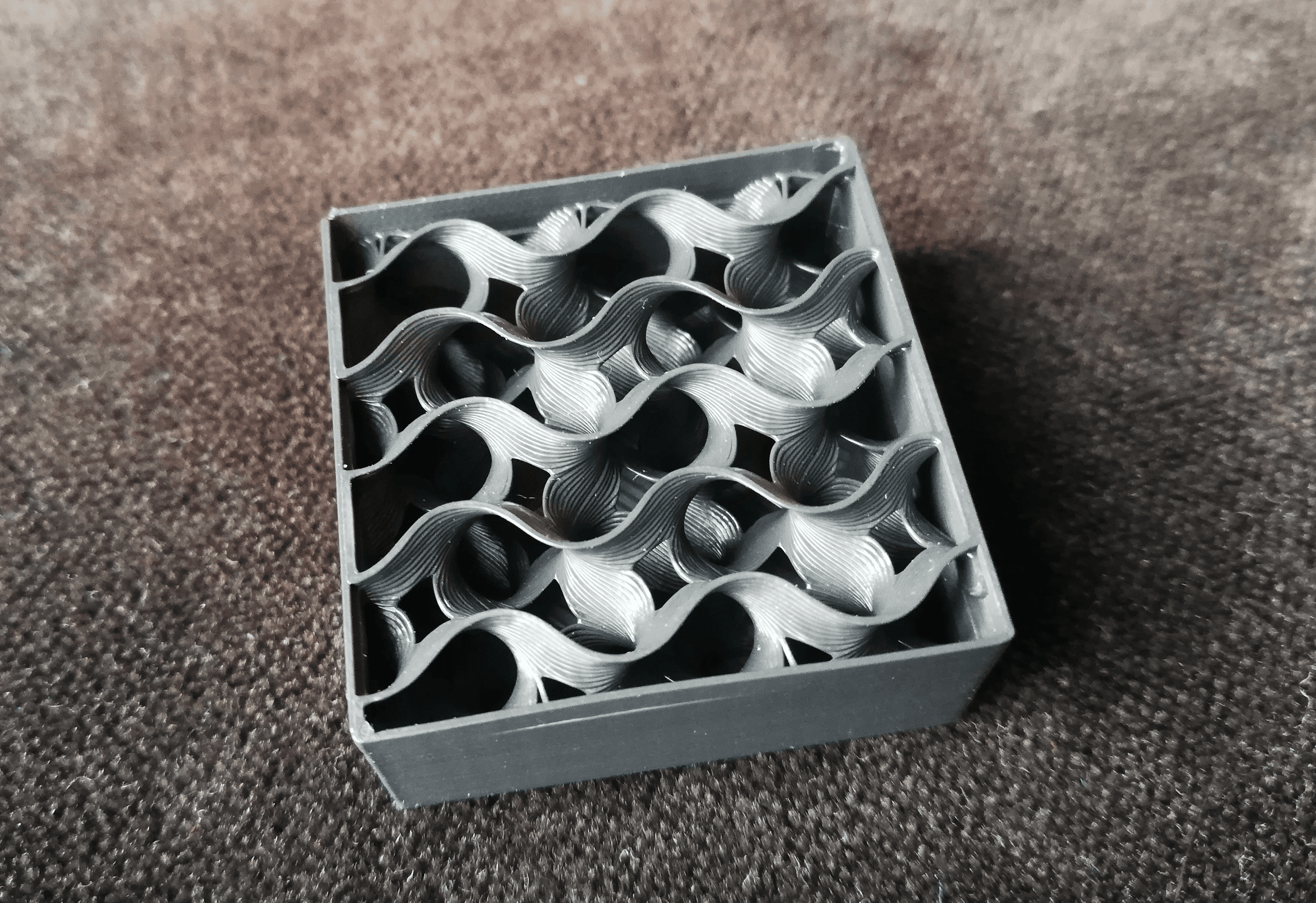
If you've watched a 3D print happen before, you've probably noticed that the inside of the object isn't completely solid. It isn't hollow, either. It's somewhere in between! That's called "Infill", and it's usually set as a percentage somewhere between 0% - 100%.
Stated simply - Infill is one of the things that separates additive manufacturing from subtractive manufacturing. Think if you were milling a cube out of wood, or metal. Since these are solid materials in the first place, you couldn't possibly remove 80% of the wood on the inside of your shape. It's just 100% solid wood.
During additive manufacturing, we get to design exactly the shape we want, and we get to set the parameters to print it the way that we want it. How fun!
There are several different considerations you may be making when you choose an infill type and amount. Let's talk about some of them.
- Reliability: This is one you may not have heard of before, but some infill patterns can actualy increase the likelihood that your print fails! Wow. So, not the geometry, not your printer, but the printer infill. The infill types that are most likely to cause this issue are Grid and Triangle. This happens because the paths slightly overlap at intersections. If there are any blobs or imperfections, the nozzle might clip that intersection point on the next pass (layer).
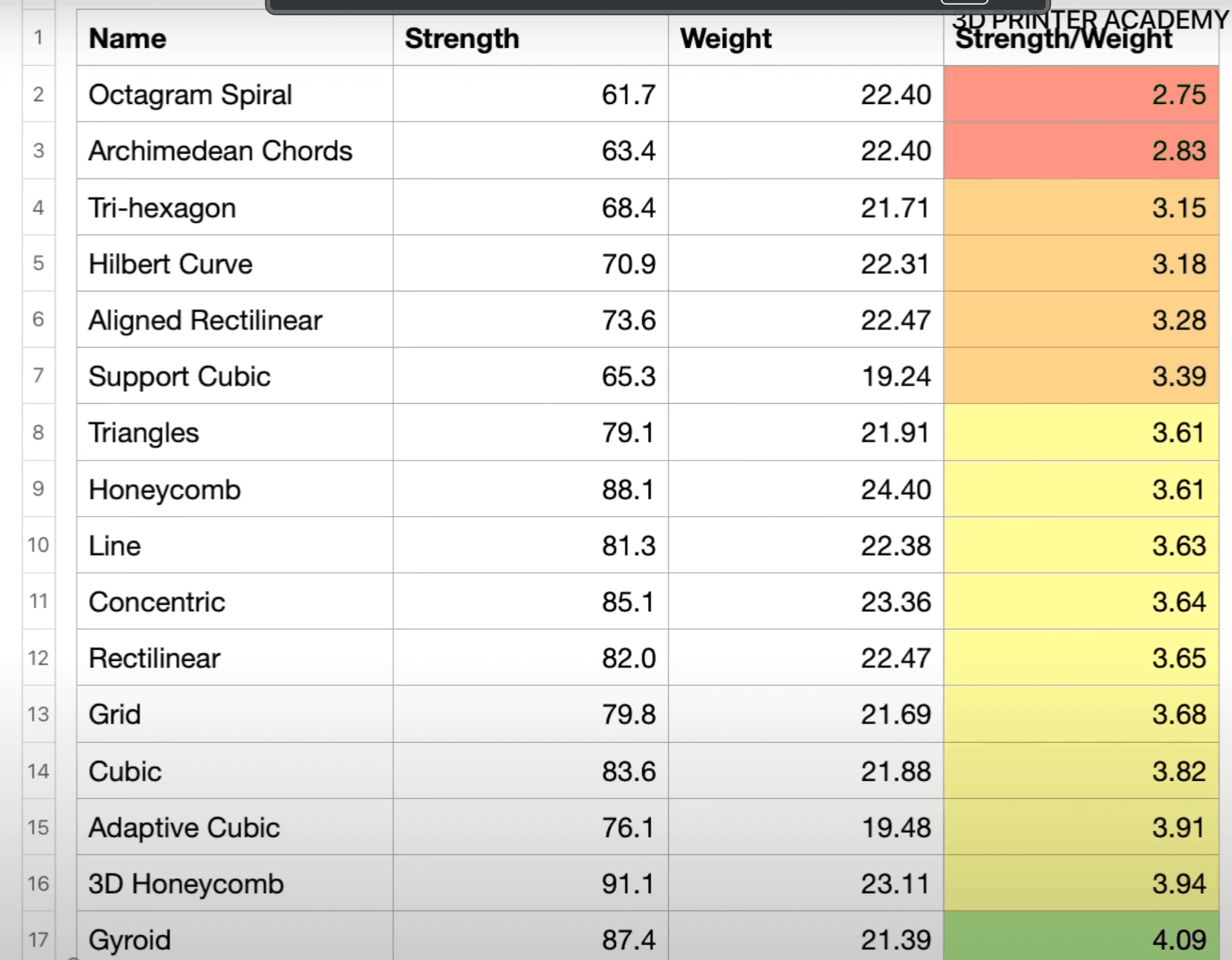
- Strength: Certain infill types are stronger than others. Some consider the organic infills like Honeycomb and Gyroid to be stronger than their counterparts, all else equal.
- Filament Usage / Weight: Surely, if you want to keep your part lightweight, you will have to adjust the infill type and the infill amount. Maybe you only have 50g of filament left on your spool and need to keep your next print within this number. It's more likely that "Adaptive Cubic" would serve you well, especially if you were compare that to Honeycomb!
- Time to Print: Some infills will print faster than others. Think about the complex shapes, like 3D Honeycomb, or Hilbert Curve. Parts made with these infills will take longer to prin than something with Rectilinear or Adaptive Cubic.
This table shows more about each of the different filament types. You can also reference the Prusa Research article called "Infill Patterns", linked here.
When you're slicing in the Polar Cloud, you can choose from any of the infill types outlined in this article! Check out the articles below to learn more.
Subscribe for updates
Get Polar Cloud news and help delivered straight to your inbox.
More from the blog